AI Movie Search & Download

AI Movie Search & Download

Download movies from most online sites.

Download movies from most online sites — paste a link from YouTube, Vimeo, Dailymotion, the Internet Archive or about 1,800 other sites — or search for full-length films, see every resolution and match them to IMDb.

€9.90 One-time payment · tax included · 30-day money-back guarantee
one per computer

Free for 5 downloads · macOS 13 Ventura or later · Apple Silicon and Intel

Free updates for your version, installed automatically · new major versions 50% off for owners

How to open the app the first time

Our apps aren't notarized by Apple yet (that's coming soon), so macOS asks you to confirm the first time you open one:

  1. Drag the app to Applications and double-click it. macOS says it can't verify the app: click Done.
  2. Open System Settings → Privacy & Security, scroll down to Security and click Open Anyway next to the app's name.
  3. Click Open Anyway again and enter your Mac password. You only do this once.

On macOS 13 Ventura or 14 Sonoma you can instead Control-click the app in Applications, choose Open, then click Open.

📱Coming to iPhone, iPad and Android phones and tablets at the beginning of 2027: search YouTube, the Internet Archive and Dailymotion, see the IMDb match and download public-domain films.

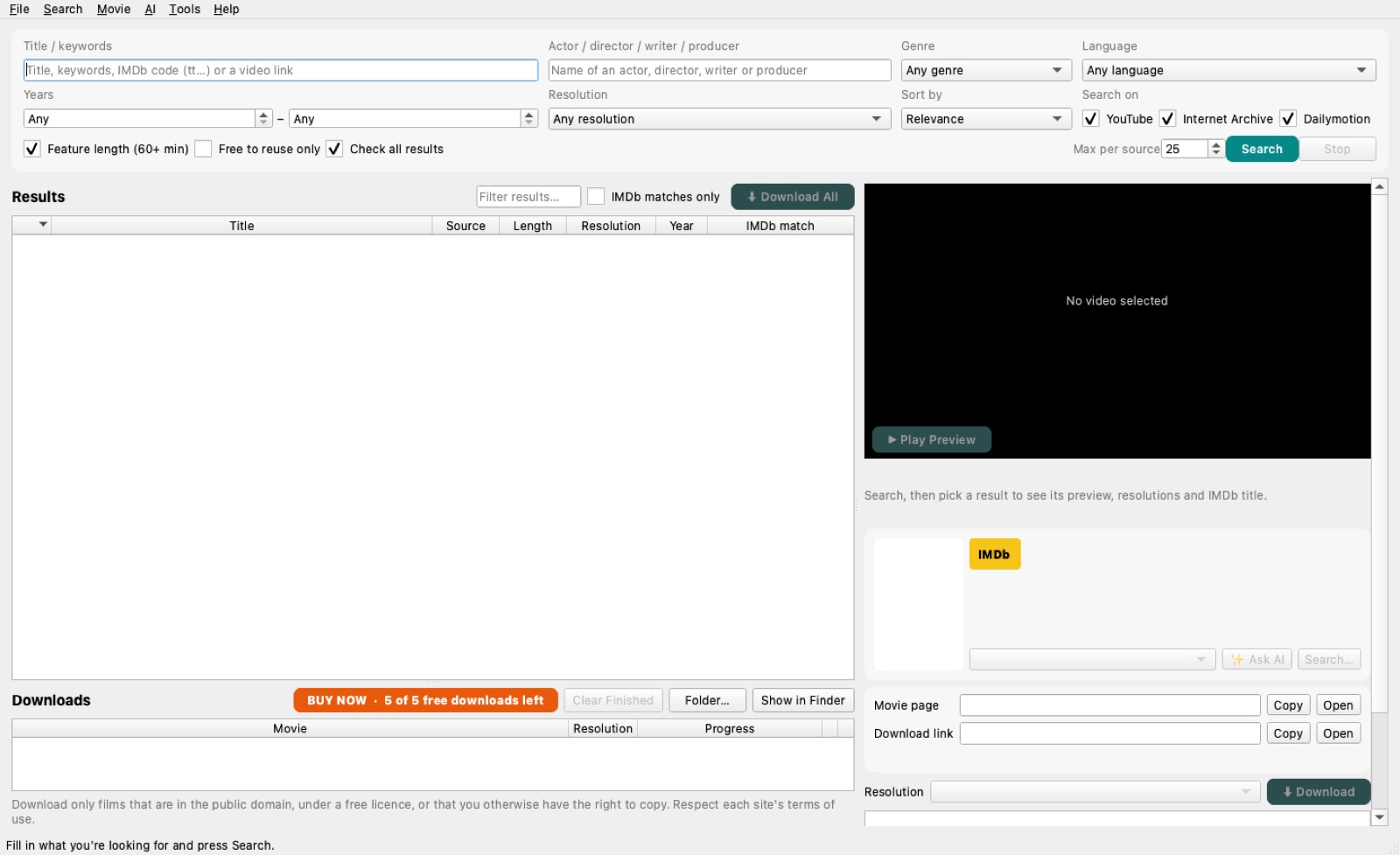
AI Movie Search & Download screenshot

Download movies from most online sites. Paste a link from YouTube, Vimeo, Dailymotion, the Internet Archive or one of about 1,800 other video sites, pick the resolution and save it as MP4 — or download a whole playlist or channel at once.

Looking for a film? Search YouTube, the Internet Archive and Dailymotion together by title, actor, genre, language, year or resolution. Each result is matched to its IMDb title, so you know exactly what you've found.

Use it for films in the public domain, under a free licence, or that you otherwise have the right to copy.
What it does

  • Download movies from most online sites: YouTube, Vimeo, Dailymotion, the Internet Archive and about 1,800 more
  • Paste a link, or download a whole playlist or channel
  • Search by title, actor, director, genre, language, year and resolution
  • Preview before saving and see every available resolution
  • Automatic IMDb matching, plus optional AI identification
  • “Free to reuse only” filter for public-domain and openly licensed films
  • Saves as MP4 that plays in QuickTime

AI Movie Search & Download: questions & answers

Which sites can it download movies from?

Most online video sites: YouTube, Vimeo, Dailymotion, the Internet Archive and about 1,800 others. Paste the link to the movie, a playlist or a channel, pick the resolution and save it as MP4.

Where can I find full-length public-domain films?

AI Movie Search & Download searches YouTube, the Internet Archive and Dailymotion in one go. Turn on “Free to reuse only” to see films that are in the public domain or under an open licence.

How do I know which film I found?

Every result is matched to its IMDb title automatically, with optional AI identification, so you can check the year, cast and director before you save it.

Is downloading films legal?

Only download films you have the right to copy: public-domain works, films under a free licence, or your own. Public-domain status depends on the country — see our guide to public-domain movies.

In which format are films saved?

As MP4 that plays in QuickTime, in the resolution you choose from those available.

Is it a subscription?

No. It's a one-time purchase, and the first 5 downloads are free.

Guides for AI Movie Search & Download

More apps